Knowledge — data migration
Migrating from Excel to housing community software: reconcile first, publish second
The main migration risk is not XLSX or CSV format. It is carrying ambiguity into a new system and making that ambiguity look orderly.
A migration is complete when your team can explain a balance, calculate charges and retrieve the associated evidence in the new system. An “import complete” message does not confirm any of those outcomes. For a property administration firm, the priorities are data consistency, continuity of work and a practical way to reverse an unsuccessful switch.
This guide concerns the administration of Polish owners’ associations, or wspólnoty mieszkaniowe. It provides an operational implementation method with example acceptance criteria. It does not prescribe a statutory import format or rules for associations in other countries. Establish the data scope and responsibility before choosing the cutover date.
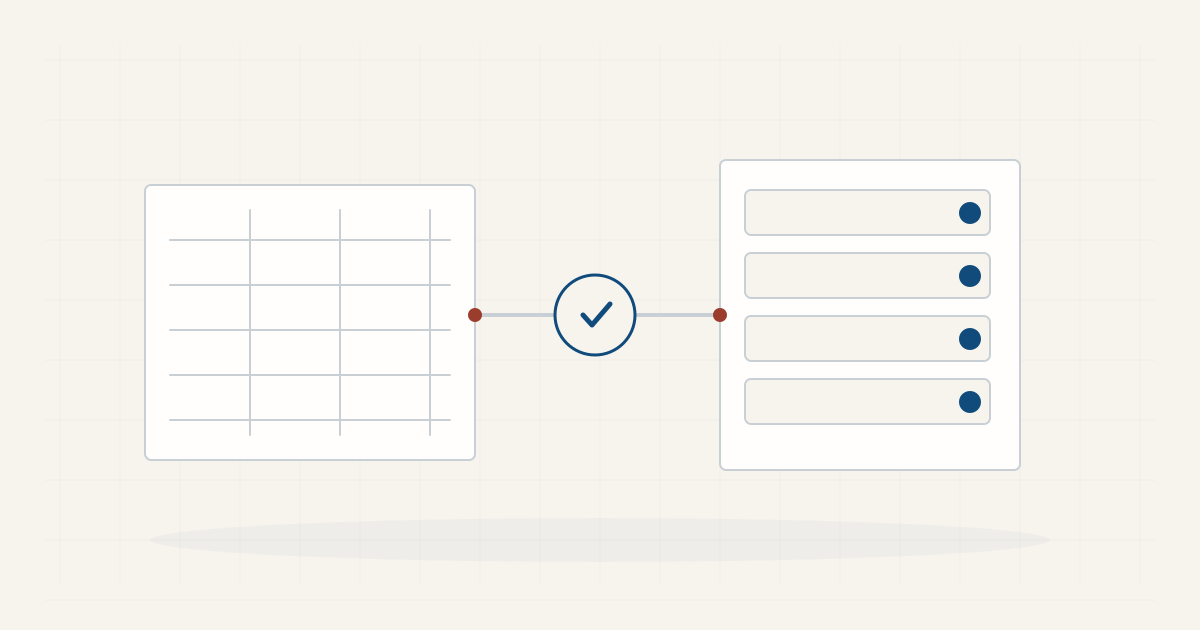
Software for managing a Polish housing community
Identify the authoritative source and decision owner
Collect the files currently used for units, owners, charges, payment reconciliation, document indexes and open cases. For each file, record its responsible person, last meaningful update and covered period. Separate working records from copies sent to the board. Similar filenames do not prove that their contents are equivalent.
Choose an authoritative version for every data area. If employees maintain parallel owner registers, reconcile differences before importing. Do not select a source automatically from its modification date. A newer workbook may contain a formatting change while an older version contains balances already reconciled with bank records.
The migration owner approves the scope, exceptions and cutover. The reconciliation employee checks amounts, the building administrator checks units and cases, and the document owner checks attachments. One employee may hold several roles in a small firm. Still distinguish executing an import from recording acceptance of its result. A second person can review the critical checks where your team has that capacity.
Decide what becomes live data and what remains archived
Every historical spreadsheet does not need to become a set of records in the new application. Define the live scope separately from the archive. An example decision is to import current unit and owner records, reconciled balances at a specified date, applicable charge rates and open cases. Older settlements remain in a structured archive with an index.
The scope should reflect operational needs, retention requirements and the destination system’s capabilities. Article 29(1) of Poland’s Ownership of Premises Act establishes a recordkeeping obligation for each common property [1]. Changing tools should preserve usable information needed for that work. Import mechanics do not replace decisions about the organisation’s required records.
Specify how employees will find material left outside the application. “It is on the old computer” is not an archive plan. Identify the location, permissions, association identifier, date coverage and access owner. Do not apply a single deletion date to every category without considering its purpose and applicable requirements. An archive that nobody can navigate is a future support problem.
Clean the data while preserving the evidence
Assign durable identifiers to each association and each unit. Unit “12” in two buildings cannot be the sole import key. Keep units separate from people: one owner can hold several units, a unit can have joint owners, and ownership can change over time. These relationships should not disappear into a combined text field.
Check duplicates, missing identifiers, dates stored as text and decimal separators. Store bank account numbers as text so that leading zeros survive and spreadsheet software does not convert them into scientific notation. Review hidden rows, active filters, merged cells and formulas that refer to another workbook. A visible total may depend on data absent from the exported file.
Preserve the original and clean a migration copy. Record each correction with the field, previous value, new value, supporting source and approver. Mark uncertain information as an exception. Entering a plausible value merely to pass validation moves an unresolved problem into live administration. Your importer’s requirements cannot establish the underlying facts.
Create a field map and define conversion rules
The import map should connect each source column with a destination field. Add the type, unit, date format and treatment of a blank value. Specify whether an area includes ancillary premises and how an ownership share is stored. Do not replace an exact fraction with a rounded percentage without assessing the effect and agreeing the rule.
Define the balance sign explicitly. Does a positive value mean the owner owes money or holds an overpayment? Write that in words and test two examples. An amount of PLN 250.00 must produce the expected result for a debt and, separately, an overpayment. Include the balance date and identify which transactions it already includes.
Keep opening balances separate from historical events. If you import a balance and the transactions that produced it, the destination system may count the amount again. Test a single unit and confirm the import mechanism with the supplier. Keep the field map with its input version. Any configuration change requires repeating the checks affected by that change.
Pilot one association with the difficult cases included
Choose an association containing representative situations rather than the easiest register. Include joint ownership, an ownership change, a commercial unit, an overpayment, a debt, a charge correction and a case with an attachment. Use real data only to the extent needed for the pilot, after agreeing access and processing arrangements.
Use an environment intended for the test. Before importing, record the filename, date, mapping version and test identifier. Retain the error report when the import finishes. A rejected row is information that must be reviewed; it is not an inconvenience to hide from the acceptance record. Make the resulting exceptions visible to the person deciding whether the trial succeeded.
Establish what a repeated import does. Does it update existing records, add new records or require removal of the previous test? Without an answer, repetition can duplicate charges. Repeat only through the confirmed procedure and compare the result against the relevant input version. An apparently successful second run can still be wrong if it added the first run again.
Reconcile counts, amounts and relationships
Checking the row count is the starting point. Compare associations, units, owners, joint ownership relationships, rates and documents. Explain every difference. Merging two duplicate owner entries may be a correct change, but it should be recorded rather than disappearing inside an aggregate success message.
Compare balances for every unit and each association. An aggregate match is insufficient: a PLN 500 overstatement for one unit and a PLN 500 understatement for another cancel out in the total. Check debts and overpayments separately and keep the reconciled statements as acceptance evidence. Every imported amount should be traceable to an approved source.
Check shares, areas and effective dates without automatically “correcting” the underlying records. If a share total raises questions, record an exception for investigation. The application cannot determine which source describes the legal position. Open a sample of attachments and confirm that each belongs to the right association and case. A document count alone does not detect an incorrect link.
Run the first calculation in parallel
For a closed period, calculate the result in the established process and the new system. Use the same rates, dates and inputs. Compare line items, rounding, corrections and the timing of an ownership change. Explain a difference at unit level instead of inserting a manual amount to force the final total to match.
A parallel test does not mean sending owners two sets of charges. Keep one result as the control calculation. Specify which system remains the authoritative record until acceptance. This prevents employees from correcting the same event independently in both tools and producing diverging versions during the transition.
Test work without financial amounts too: retrieving a document, handing an open case to a colleague and creating an export. An employee who did not perform the import should repeat these tasks from a short instruction. If every task requires an implementation specialist, the firm does not yet have an independent operating process.
Plan cutover and rollback together
Set the time when changes to the source stop, the final export and the person authorising launch. Record payments and documents arriving afterwards in a pending event list. Following acceptance, enter them into the correct system exactly once. The migration window must not create an undocumented gap between two periods of work.
Keep a backup and test recovery. NCSC guidance emphasises making copies and knowing how to restore the information you need [2]. A rollback plan should identify the returning system, restoration steps and treatment of events recorded after cutover. An older copy without those events cannot recreate the current position.
Example stop conditions include an unexplained balance difference, missing documents or access to the wrong association. Do not issue live charges until the migration owner accepts the corrected outcome. Moving a date is manageable; allowing inconsistent balances into the operating process can create work for several later periods.
Close implementation with evidence and control the copies
The acceptance record should identify the source version, mapping, imported scope, checks, approved exceptions and accepting people. Add the archive location and next review date. After the first operating cycle, check whether the team has resumed parallel registers. If it has, identify the specific missing function or unclear working rule causing that behaviour.
Remove unnecessary working copies under your adopted rules while preserving the required archive and evidence. Restrict access to migration files. Where a supplier processes data on another party’s behalf, agree appropriate processing conditions before transferring information, rather than after the import finishes [3]. Documenting the handover does not itself define every party’s role.
Before migrating to WM Administrator, check the import scope, balance reconciliation process and availability of the modules your work requires. Review the program’s scope and use your data list and acceptance criteria as the implementation basis. Accounting, KSeF, OCR and voting require separate confirmation of their offered scope.
STOP conditions
- unit counts cannot be reconciled;
- unresolved owner/share conflicts remain;
- opening balances do not have a confirmed date;
- control totals differ without explanation;
- field meaning has to be guessed;
- source files and mapping have not been preserved.
Definition of Done
- record counts reconcile;
- control totals match or differences are explicitly accepted;
- every exception has an owner and status;
- source files and mapping are preserved;
- the approver and publication time are known;
- the first operating cycle passed reconciliation;
- the new system can export the migrated data again.
Sources and scope
- [1] Polish Ownership of Premises Act, consolidated text, Dz.U. 2026 item 232, Article 29(1) — checked 02.10.2026. Official Polish text; legal descriptions above are editorial translations.
- [2] National Cyber Security Centre: Backing up your data — checked 02.10.2026. Technical guidance, not a Polish statutory migration requirement.
- [3] Polish Personal Data Protection Office: supervisory case concerning an owners’ association — checked 02.10.2026.
- [4] Regulation (EU) 2016/679, particularly Articles 5, 28 and 32 — official legal reference in EUR-Lex; informational Polish copy provided by UODO — checked 02.10.2026. The migration workflow, comparison checks and acceptance conditions are editorial recommendations. They are not a statutory record format or a guarantee about a particular import tool.
- [5] WM Administrator privacy policy
- [6] WM Administrator technical and organisational measures
- [7] WM Administrator subprocessors and data recipients
For information only. This is not legal, tax or accounting advice; adapt the procedure to the documents and circumstances of the specific housing community.